Automating parts of your business accounting sounds like something that requires technical know-how you don't have time to develop, but most of the genuinely useful automation available today is built specifically for non-technical small business owners, requiring nothing more complex than connecting an account and answering a few setup questions. Here's what's actually realistic to automate, and what still genuinely needs your attention.
Bank and Credit Card Transaction Importing
Manually entering every transaction from your business bank and credit card accounts into a spreadsheet or accounting software is one of the most time-consuming, error-prone parts of small business bookkeeping, and it's also one of the easiest things to automate. Most accounting software – QuickBooks, Xero, Wave – lets you securely connect your bank and credit card accounts directly, automatically importing transactions daily rather than requiring manual entry.
What this actually requires: logging into your accounting software, selecting "connect bank account," and following a straightforward, guided login process similar to logging into your bank's own website. No technical skill beyond basic comfort navigating a website is needed.
Transaction Categorization
Once transactions import automatically, most accounting software can also learn to categorize them automatically based on patterns – a transaction from a specific vendor consistently gets categorized as "office supplies" or "software," for example, after you've manually categorized it correctly a few times. This significantly reduces the ongoing manual work of sorting every single transaction by hand each month.
What this actually requires: correctly categorizing transactions the first few times a new vendor or expense type appears, after which most software automatically applies that same categorization going forward, occasionally flagging anything unusual for your manual review.
Invoice Creation and Sending
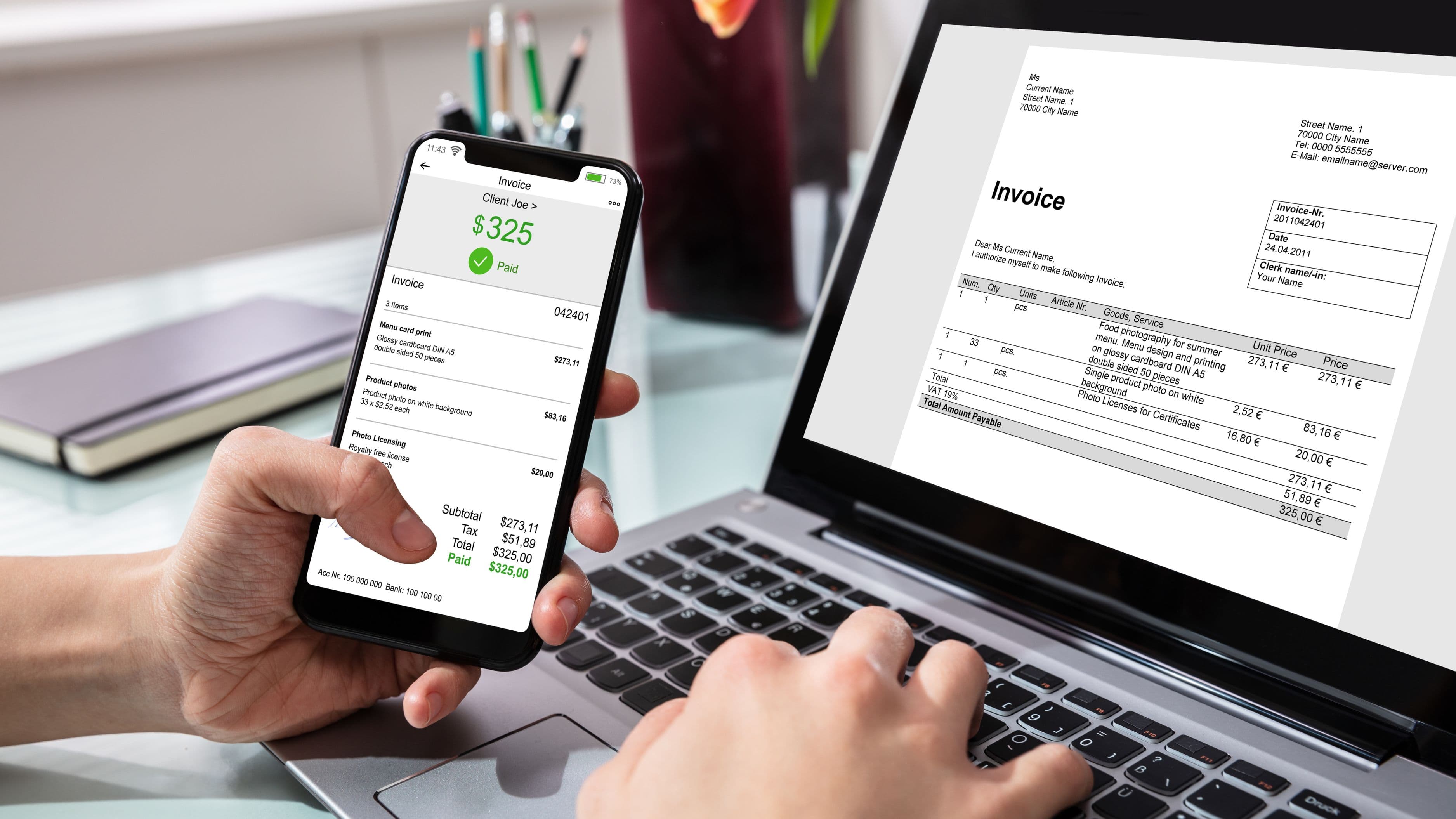
Rather than manually creating invoices in a document editor and emailing them individually, most accounting software lets you set up invoice templates that auto-populate with client information and automatically send on a schedule you define, whether that's immediately upon a job's completion or on a recurring monthly basis for retainer clients.
What this actually requires: entering your client's information once into the system, and setting up either a one-time invoice template or a recurring schedule, both of which are guided processes within most accounting platforms without requiring any technical setup beyond filling in a form.
Payment Reminders for Overdue Invoices
Chasing down late-paying clients is one of the more uncomfortable parts of running a small business, and most accounting software can automate polite, scheduled reminder emails sent automatically at set intervals after an invoice becomes overdue, without you needing to remember to send them manually or have an awkward direct conversation about a slightly late payment.
What this actually requires: enabling the automatic reminder feature within your invoicing settings and choosing the timing and tone of the automated messages, generally a simple toggle and template selection rather than any technical configuration.
Recurring Bill Payments
For predictable, recurring business expenses – software subscriptions, rent, recurring service fees – setting up automatic bill pay through your accounting software or bank eliminates the manual task of remembering to pay the same bills each month and reduces the risk of a late payment fee from a simple oversight.
What this actually requires: entering the specific bill details and payment schedule once into your accounting software or online banking bill pay feature, both of which use straightforward, guided setup forms rather than requiring any technical background.
Expense Receipt Capture
Rather than keeping a physical folder of paper receipts or manually typing expense details into a spreadsheet, most accounting software includes a mobile app feature letting you photograph a receipt with your phone, which then automatically extracts the vendor, amount, and date, and matches it to the corresponding bank transaction.
What this actually requires: downloading your accounting software's companion mobile app and taking a photo of a receipt at the point of purchase, a genuinely simple action requiring no more technical skill than taking any other photo on your phone.
Basic Financial Reports
Generating a profit and loss statement or a balance sheet manually requires real accounting knowledge to compile correctly, but most accounting software automatically generates these standard reports based on your already-categorized transactions, available with a few clicks rather than requiring you to build them from scratch.
What this actually requires: navigating to the "reports" section of your accounting software and selecting the specific report you want to view, which the software then automatically compiles using your existing transaction data.
What Still Genuinely Needs Your Attention
Even with all of this automated, a few tasks still benefit from your direct review or a professional's involvement: reviewing your categorized transactions periodically to catch any miscategorizations the automation missed, understanding your quarterly estimated tax obligations rather than assuming software automatically handles this for you, and working with an accountant at year-end for tax filing and any more complex financial decisions where automated software genuinely can't substitute for professional judgment.
What to Avoid
Avoid setting up automation and then never reviewing it again – even reliable automated categorization occasionally misfiles a transaction, and a brief monthly review catches these errors before they compound into a genuinely inaccurate financial picture.
Don't assume automated bookkeeping software eliminates the need for a tax professional entirely, particularly as your business grows in complexity – these tools handle the mechanical, repetitive parts of bookkeeping well, but they don't replace the judgment a qualified accountant brings to tax strategy and more complex financial decisions.
FAQ
Do I need any technical background to set up accounting automation? No – most modern accounting software is specifically designed for non-technical small business owners, with guided setup processes for connecting accounts and configuring automated features.
Is it safe to connect my bank account directly to accounting software? Reputable accounting platforms use secure, encrypted connections similar to what your bank itself uses, though it's worth choosing an established, well-reviewed platform rather than an unfamiliar or unverified one.
Will automation eliminate the need for a bookkeeper or accountant entirely? For very small, simple businesses, automation can reduce how much bookkeeping help you need, but as your business grows in complexity, a professional's judgment for tax strategy and more complex financial decisions remains genuinely valuable.
Most of the tedious, repetitive parts of small business accounting can be automated without any technical background at all, freeing up real time for the parts of your business that actually need your direct attention. Start with bank transaction importing and invoice automation, since these tend to offer the most immediate time savings for the least setup effort.
📚 Sources
IRS: Recordkeeping for Small Businesses – https://www.irs.gov/businesses/small-businesses-self-employed/recordkeeping
U.S. Small Business Administration: Bookkeeping Basics – https://www.sba.gov/business-guide/manage-your-business/stay-legally-compliant
American Institute of CPAs: Small Business Accounting Resources – https://www.aicpa-cima.com/